Building a Clone of Microsoft Defender's 'Attack Story' Engine
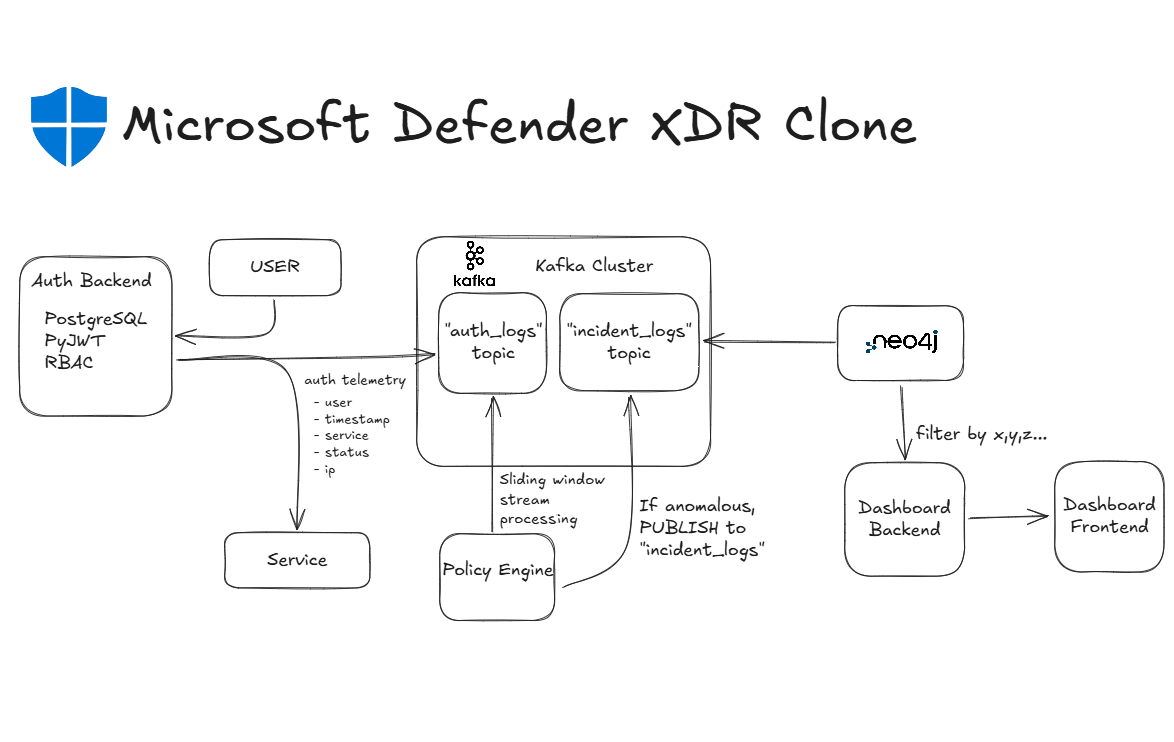
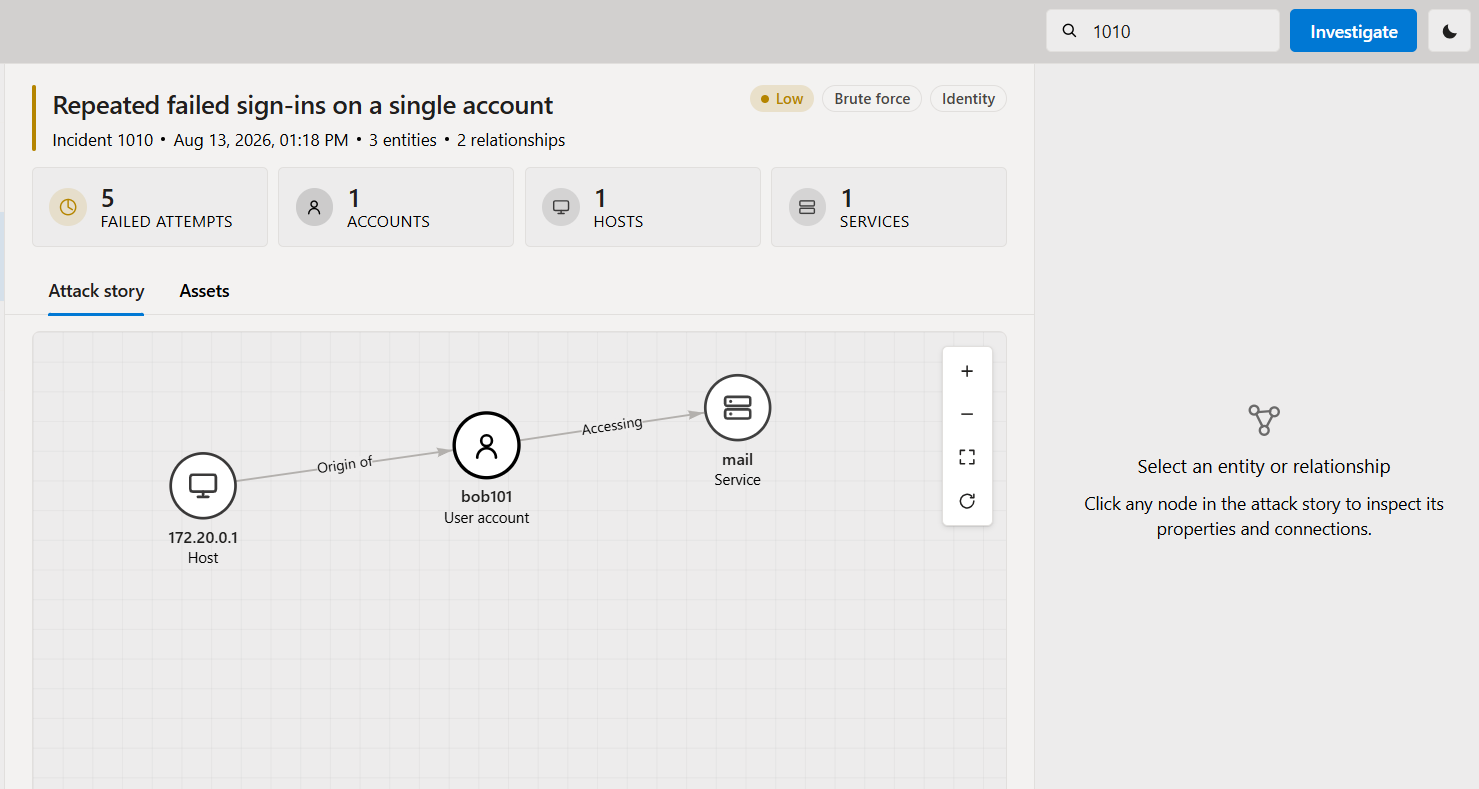
Microsoft Defender’s “Attack Story” feature uses a graph comprised of nodes and relationships (edges) to visually represent the path of a security incident. Microsoft uses their own proprietary graphing engine as well as AI to achieve this, but this week I built a simpler clone using NEO4J, an open-source graphing database.
Tech Stack
- ALL: Docker
- Auth Frontend: Nginx, Javascript, HTML
- Auth Backend: Python, FastAPI, PostgreSQL
- Dashboard Frontend: Nginx, Javascript, HTML, CSS, Vis.js
- Dashboard Backend: Neo4j, Python, FastAPI
- Neo4j Connector: Kafka, Python, Neo4j
- Policy Engine: Kafka, Python
Authentication
I started by designing a very simple service to which a user could authenticate to.
There is a choice of 4 services that the user can authenticate to: mail, ftp, db, or test.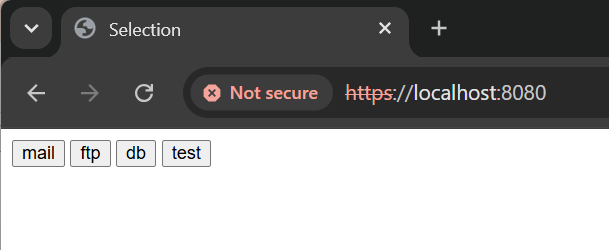
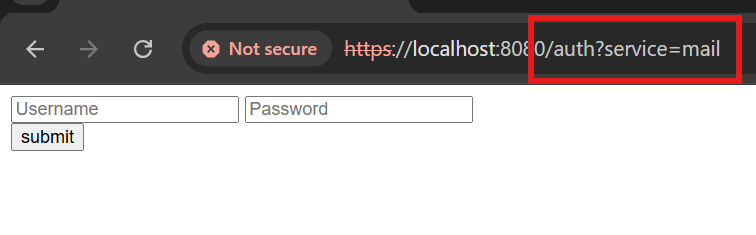
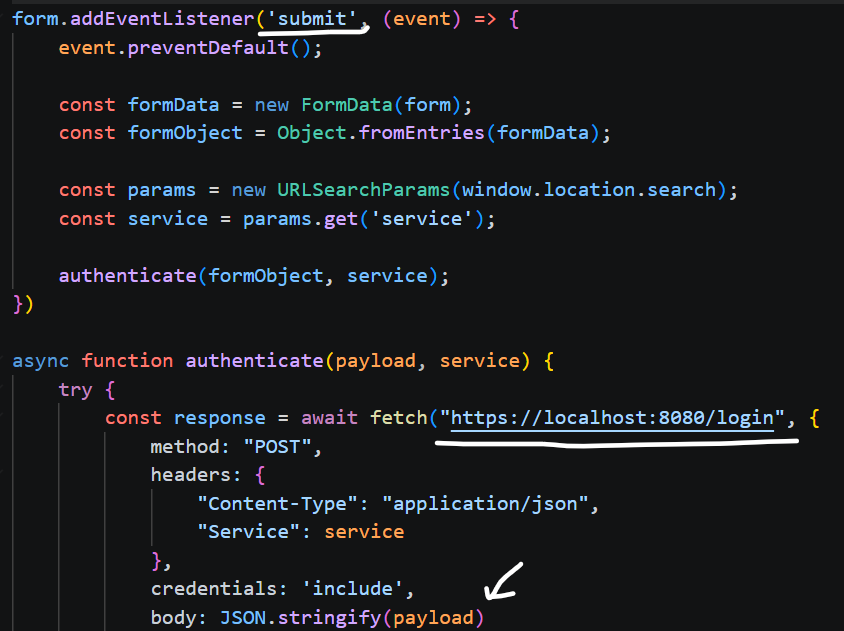
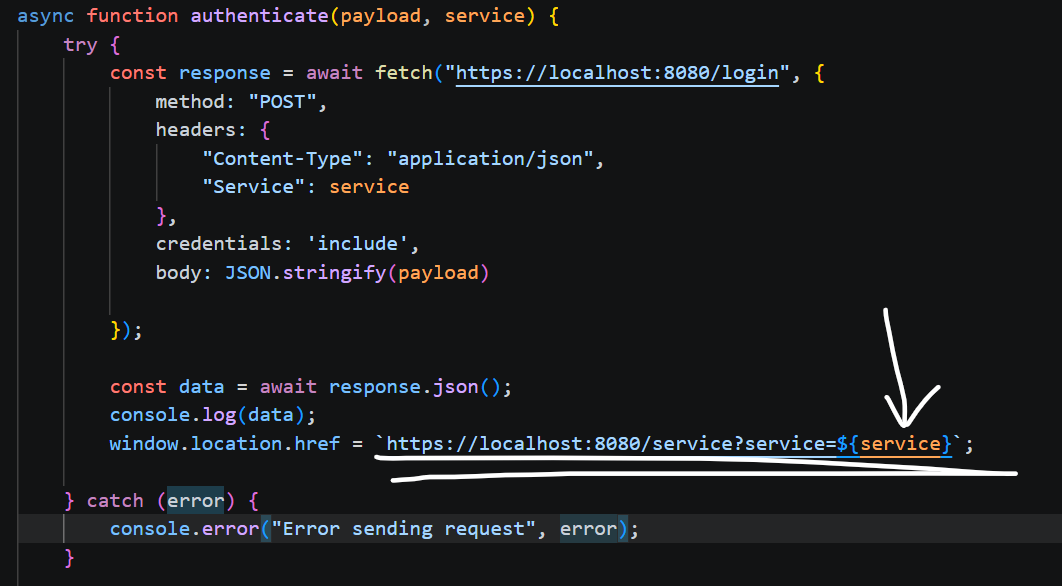
Upon reaching the dashboard page, our JWT token gets sent to the /api/verify endpoint, which verifies our JWT token server-side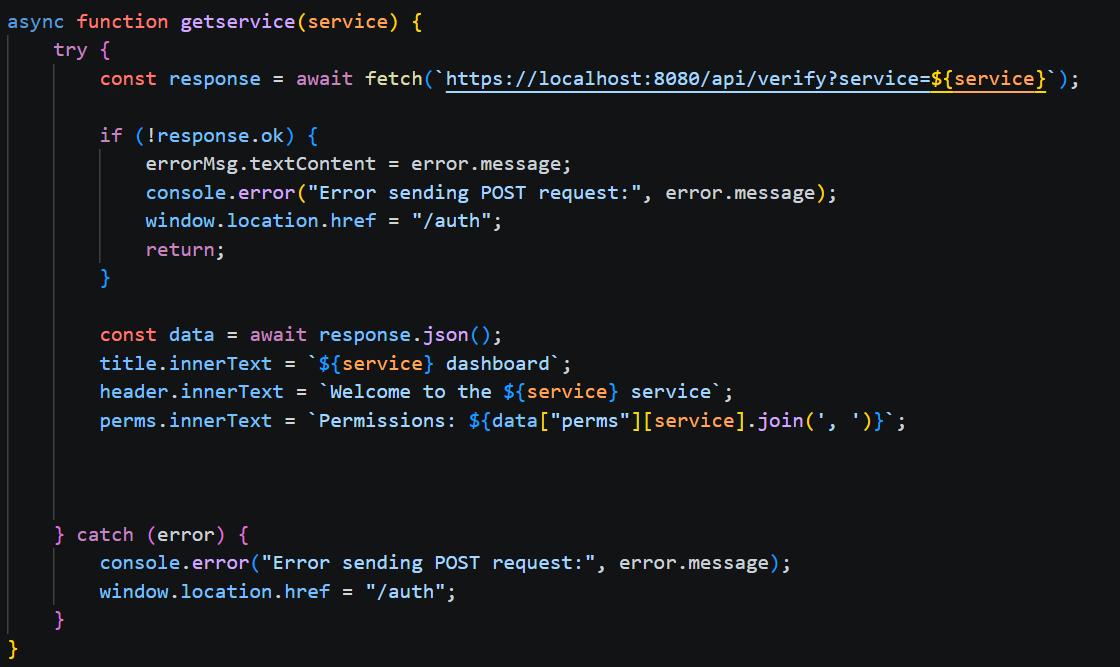
auth_logs topic.
Anomaly Detection
Our anomaly detector is subscribed to the Kafka auth_logs topic and continuously waits for a new message to be published.
I implemented three basic detections
- Brute force
- Password spray
- Login from TOR exit node
For the brute force logic, we mantain a monotonic stack (ordered by timestamp) with sliding window logic to ensure we are only looking at events that occured within 60 seconds of eachother.
Then we check if failed logins exceeds 10 attempts within this 60 second timeframe, if it does, we send an alert.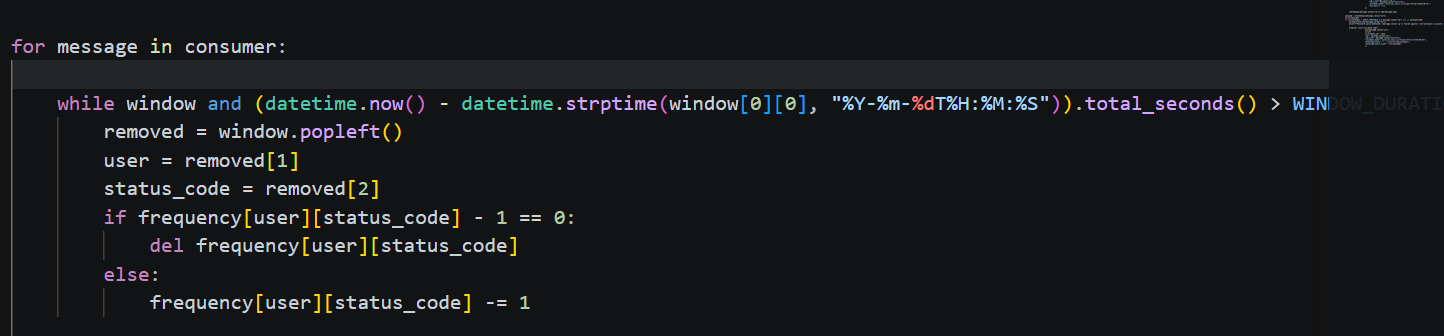
For the password spray logic we mantain a hashmap containing a set of every user account (value) that was seen for this IP address (key).
If the length of this set exceeds 2 users, we send an alert.
For the TOR check, we use a free API, supplying the IP value in the auth log.
If the API returns {"is_tor":True} then we send an alert.
When sending the alerts, we publish to the incident_logs kafka topic.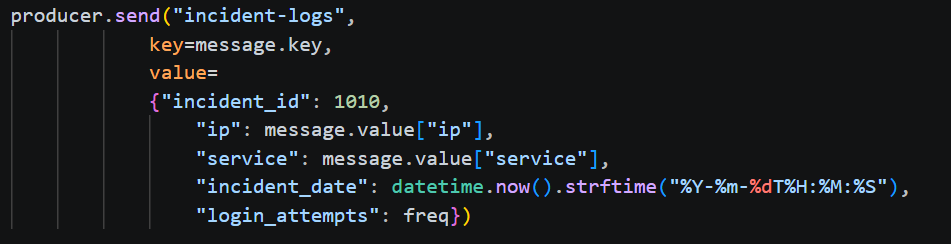
Graph Visualization (Attack Story)
node_connector.py is subscribed to the incident_logs Kafka topic and awaits new messages.
When it sees a new incident, it executes a cypher query to store the data in neo4j using the following schema
query = """
        MERGE (i:Incident {incident_id: $id, incident_date: $ts})
        SET i += $details
        MERGE (u:User {username: $username})
        MERGE (s:Service {service: $service})
        MERGE (h:Host {ip: $ip})
        MERGE (i)-[:INCIDENT]->(u)
        MERGE (h)-[:FROM_HOST]->(u)
        MERGE (u)-[:ACCESSING_SERVICE]->(s)
        """
Finally, when we enter an incident ID on our frontend, it will query our backend, which will run the following cypher queries:
1. Verify that the incident exists in our neo4j instance
MATCH (i:Incident)
WHERE toString(i.incident_id) = $incident_id
RETURN i
ORDER BY i.incident_date DESC
2. Extract all related entities to the incident branching out by MIN_DEPTH to depth (1 to 3 in this case, as we want to skip the actual incident node itself during the visualization)
MATCH (i:Incident)-[:INCIDENT]->(involved:User)
WHERE toString(i.incident_id) = $incident_id
WITH collect(DISTINCT involved) AS seeds
UNWIND seeds AS seed
OPTIONAL MATCH path = (seed)-[*{MIN_DEPTH}..{depth}]-(m)
WHERE none(n IN nodes(path) WHERE n:Incident)
  AND all(n IN nodes(path) WHERE NOT n:User OR n IN seeds)
RETURN seed, collect(path) AS paths
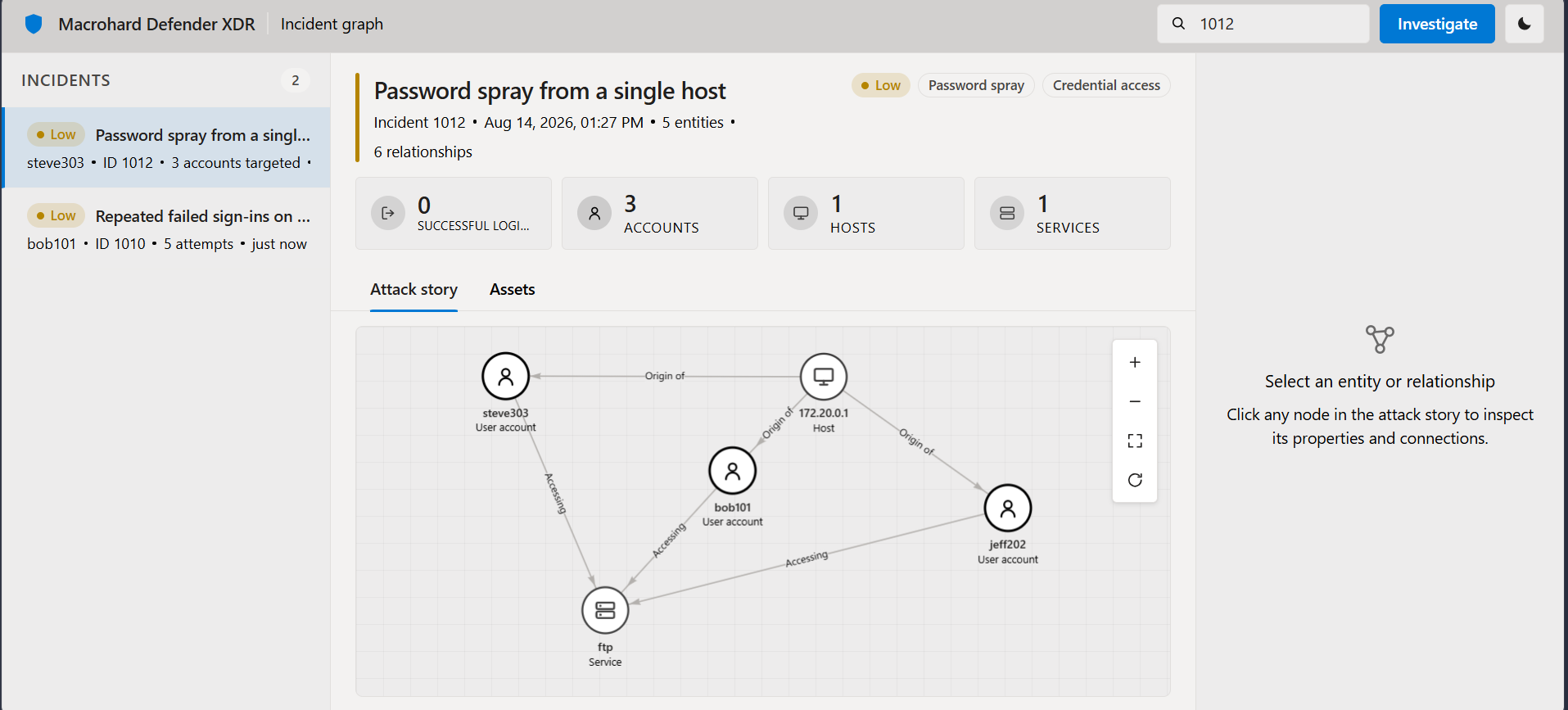
The result of this query gets returned as a flattened JSON string, which is then ingested on our frontend via Vis.js, and thus we have our “Attack Story”